How KQL can be used to detect stealthy backdoors in Entra ID applications
A breakdown of Service Principal credential persistence in Entra ID and how to detect it with KQL.
Background
When security teams review Microsoft Entra ID, they typically look at what the portal shows them: role assignments, registered apps, API permissions. It might look complete, but it is not.
Application consents are a good example - delegated permissions granted by users to third-party apps accumulate over time and are rarely reviewed. Tools like Consentra help surface risky OAuth2 consent grants, unknown apps, and stale delegated permissions across a tenant without requiring any write access.
But even a full consent review misses something.
Service Principal to persistence
Let's take a closer look at Service Principal credentials. In Entra ID, credentials are normally managed on the AppRegistration object, which then are visible in the portal's Certificates & Secrets blade. But credentials can also be added directly to the Service Principal object via API.

If the targeted Service Principal holds sensitive permissions, like Mail.ReadWrite.All, RoleManagement.ReadWrite.Directory, or any other high-value application role, the attacker retains those permissions indefinitely.
Here it becomes very interesting though, because the newly created client secret does not appear in the portal and not even via the Graph API.

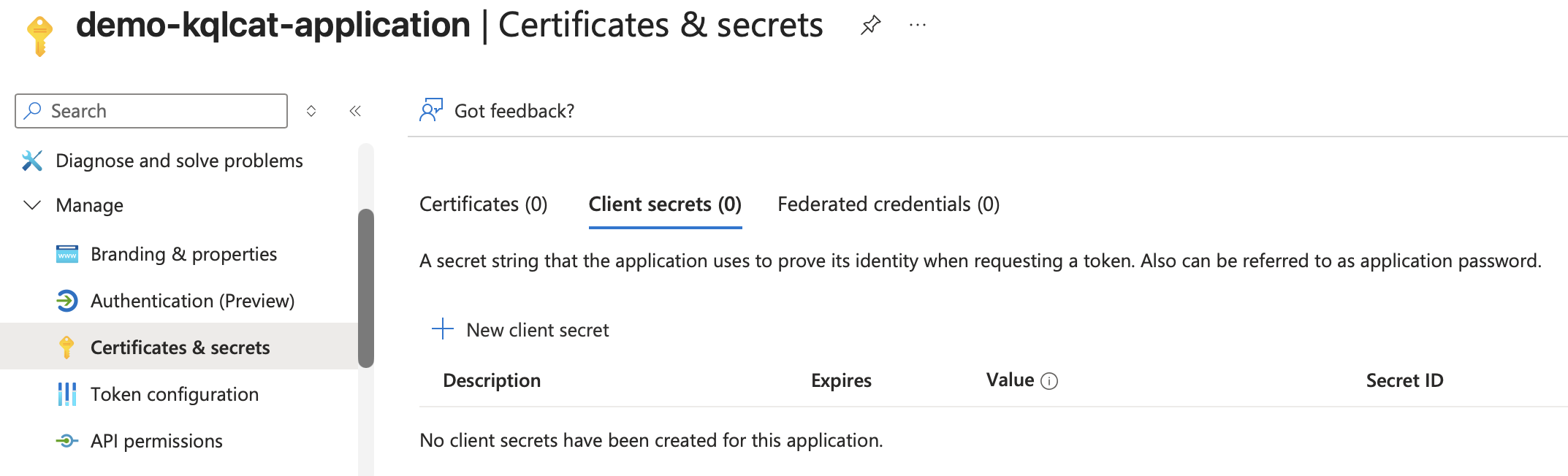
I believe the 'why' is rather simple: App Registrations and Service Principals are two separate directory objects, and the portal historically only surfaces credentials on the app object. Credentials written directly via Graph API simply have no UI; Microsoft even recommended in their own docs to check passwordCredentials directly via PowerShell or Graph API if the portal shows nothing.
Detection
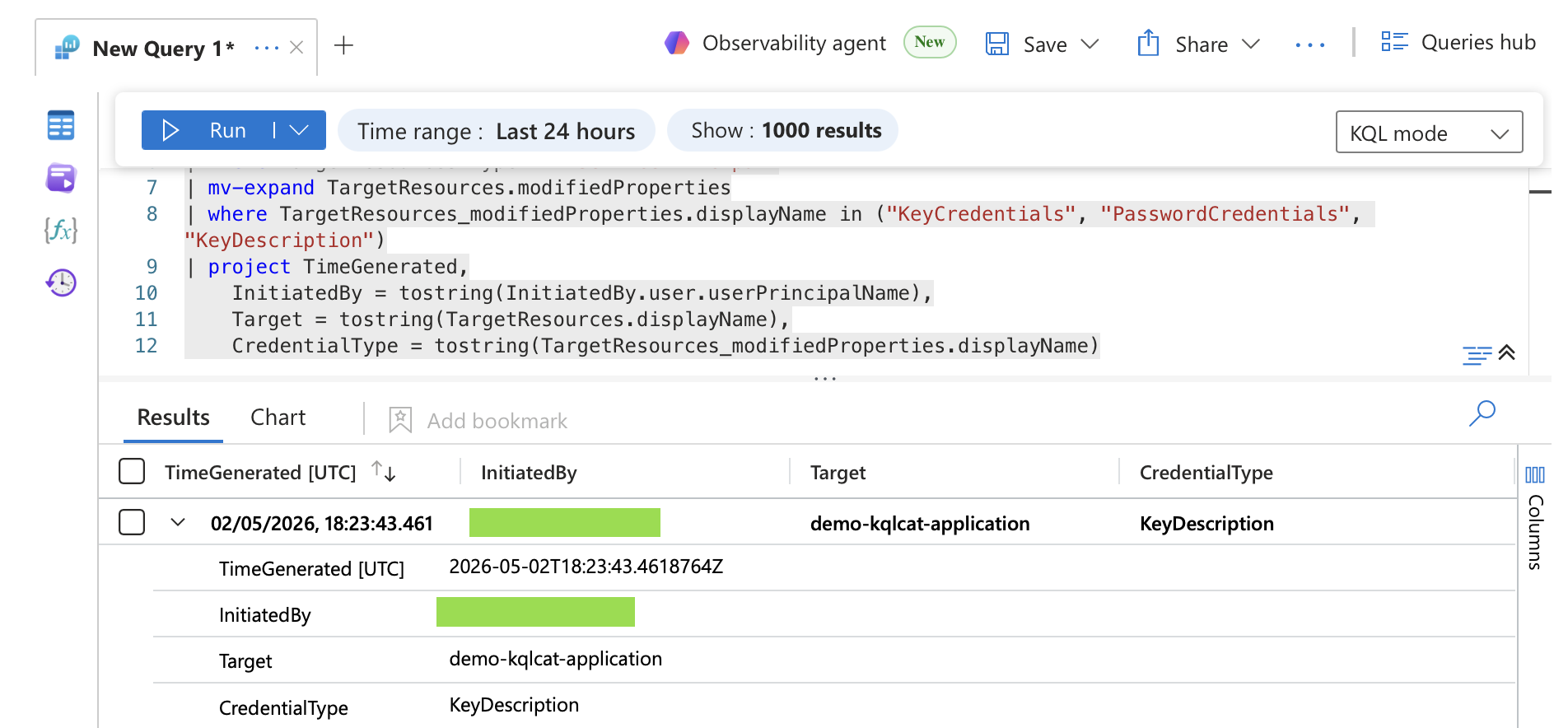
It is possible to detect these actions with AuditLogs and Entra ID P1 or P2 licensing. An empty InitiatedBy field is itself a finding as well, as it indicates that the operation was performed via a token, and not interactively.
AuditLogs
| where Category == "ApplicationManagement"
| where OperationName in ("Add service principal credentials", "Update service principal")
| where Result == "success"
| mv-expand TargetResources
| where TargetResources.type == "ServicePrincipal"
| mv-expand TargetResources.modifiedProperties
| where TargetResources_modifiedProperties.displayName in ("KeyCredentials", "PasswordCredentials", "KeyDescription")
| where tostring(TargetResources_modifiedProperties.newValue) contains "KeyUsage=Verify"
| extend NewCreds = parse_json(tostring(TargetResources_modifiedProperties.newValue))
| extend NewCredential = tostring(NewCreds[array_length(NewCreds)-1])
| project TimeGenerated,
    InitiatedBy = tostring(InitiatedBy.user.userPrincipalName),
    Target = tostring(TargetResources.displayName),
    NewCredential
Federated Identity Credentials as a Second Persistence Vector
Federated Identity Credentials (FIC) follow the same pattern, but with one constraint: they can only be created on AppRegistration objects and Managed Identities, not on arbitrary Service Principals. The attack path therefore requires either ownership of the AppRegistration or control over a Managed Identity - for example through a compromised Azure VM with a system-assigned identity attached.

From this point, anything that can obtain a token for that Managed Identity can authenticate as the application and exercise whatever permissions the Service Principal holds.
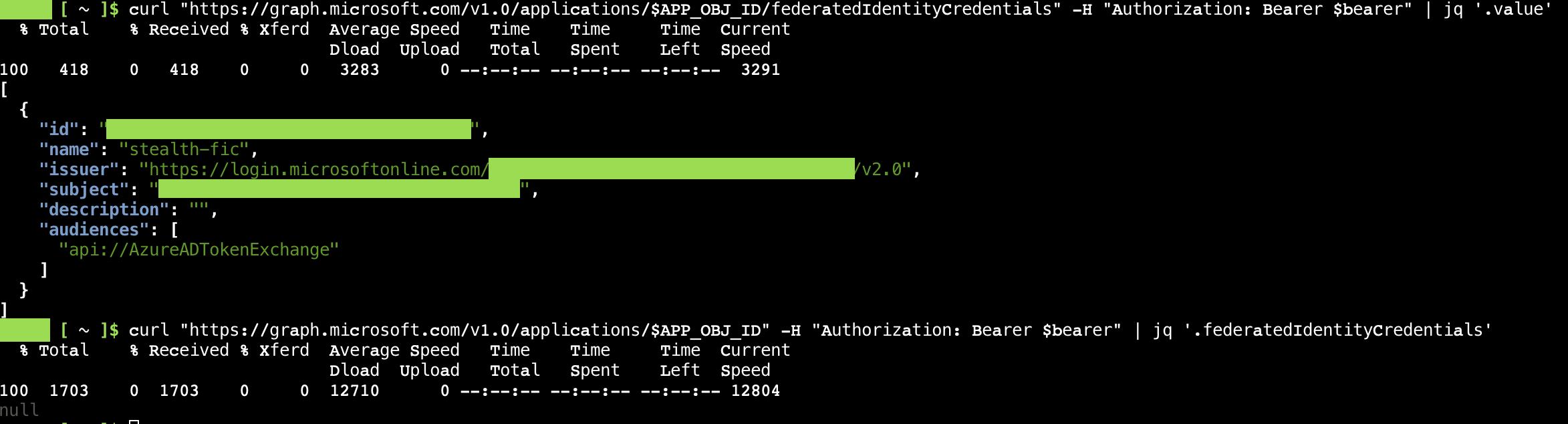
Unlike the Service Principal credentials, FICs are visible in the portal, but only under the Federated credentials tab in the App Registration's Certificates & Secrets blade, not on the Enterprise Application side.
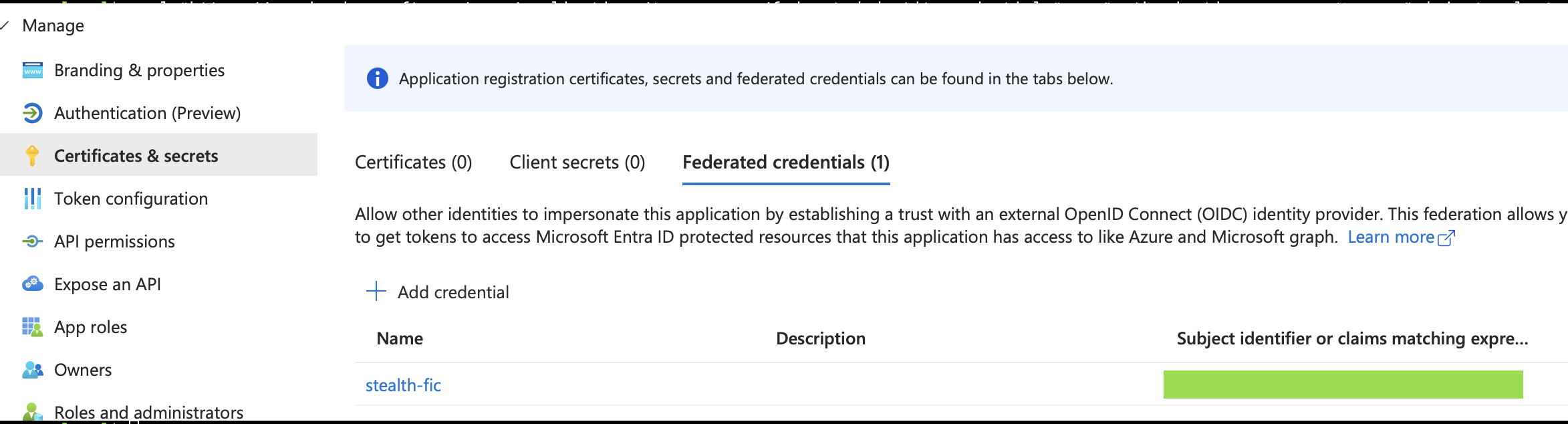
Of course, there is no credential to rotate, and the relationship persists until the FIC is explicitly removed.
Detection
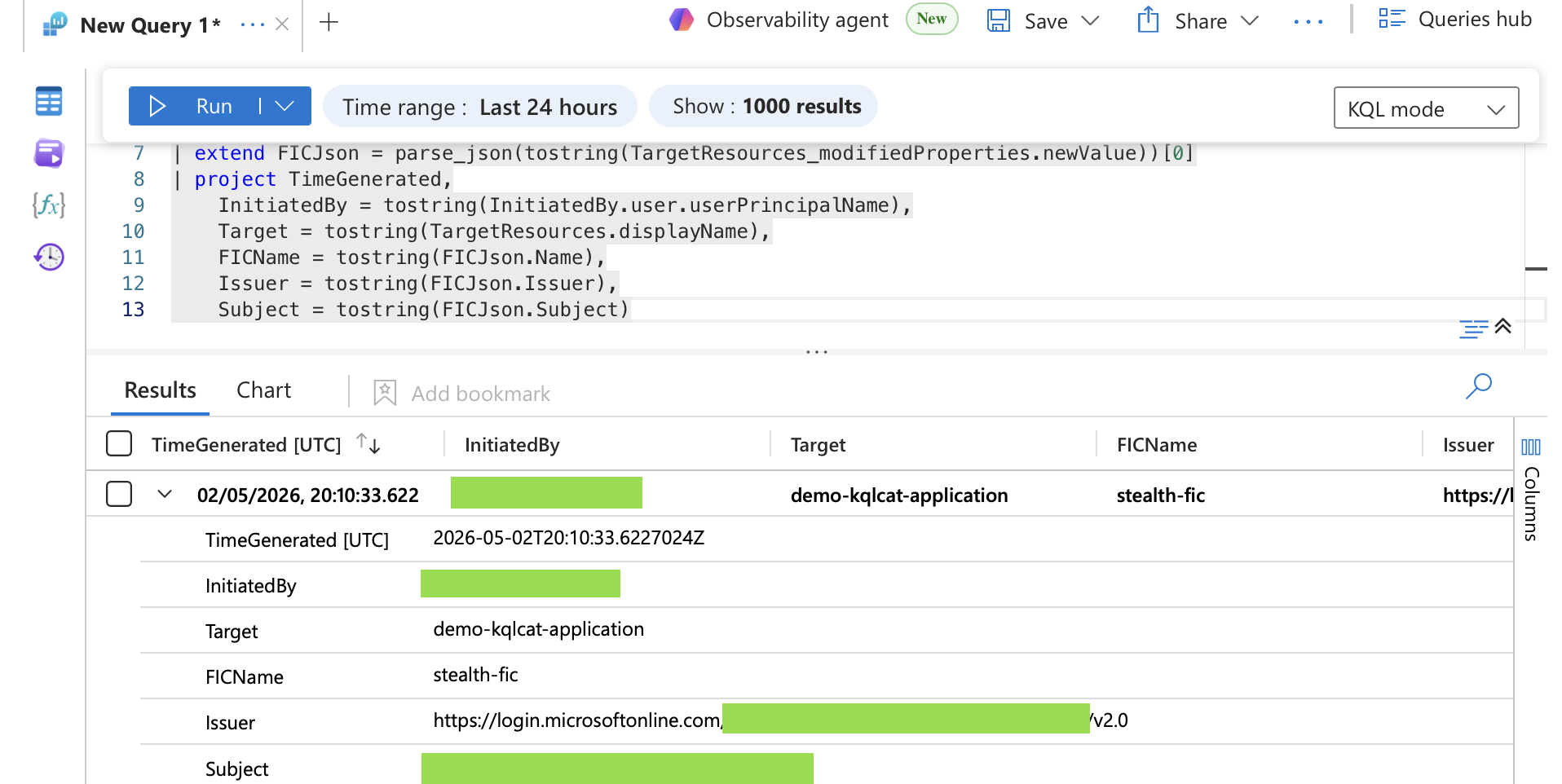
We can detect this in KQL as well. We should also add the same logic as before; an empty InitiatedBy on a FIC addition means the operation was performed via token, not interactively.
AuditLogs
| where Category == "ApplicationManagement"
| where Result == "success"
| mv-expand TargetResources
| mv-expand TargetResources.modifiedProperties
| where TargetResources_modifiedProperties.displayName == "FederatedIdentityCredentials"
| extend FICJson = parse_json(tostring(TargetResources_modifiedProperties.newValue))[0]
| project TimeGenerated,
    InitiatedBy = tostring(InitiatedBy.user.userPrincipalName),
    Target = tostring(TargetResources.displayName),
    FICName = tostring(FICJson.Name),
    Issuer = tostring(FICJson.Issuer),
    Subject = tostring(FICJson.Subject)
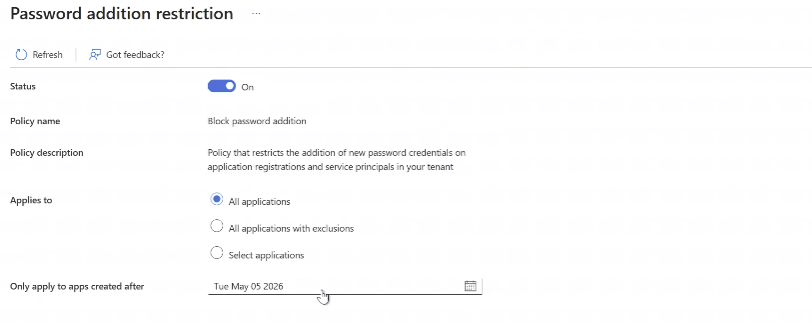
Disabling Secrets on Service Principals
One other way to protect against this attack vector is to disable credential additions on Service Principals entirely via an application management policy. It's important to mention that Microsoft's policy interface does not differentiate between App Registration objects and Service Principals, making it an all-or-nothing control at the tenant level.
Either way, client secrets should be treated as legacy at this point; certificates are the modern standard for Service Principal authentication and should be preferred in any hardening effort.
Where client secrets are still in use, Conditional Access for Workload Identities is a strong compensating control worth implementing.